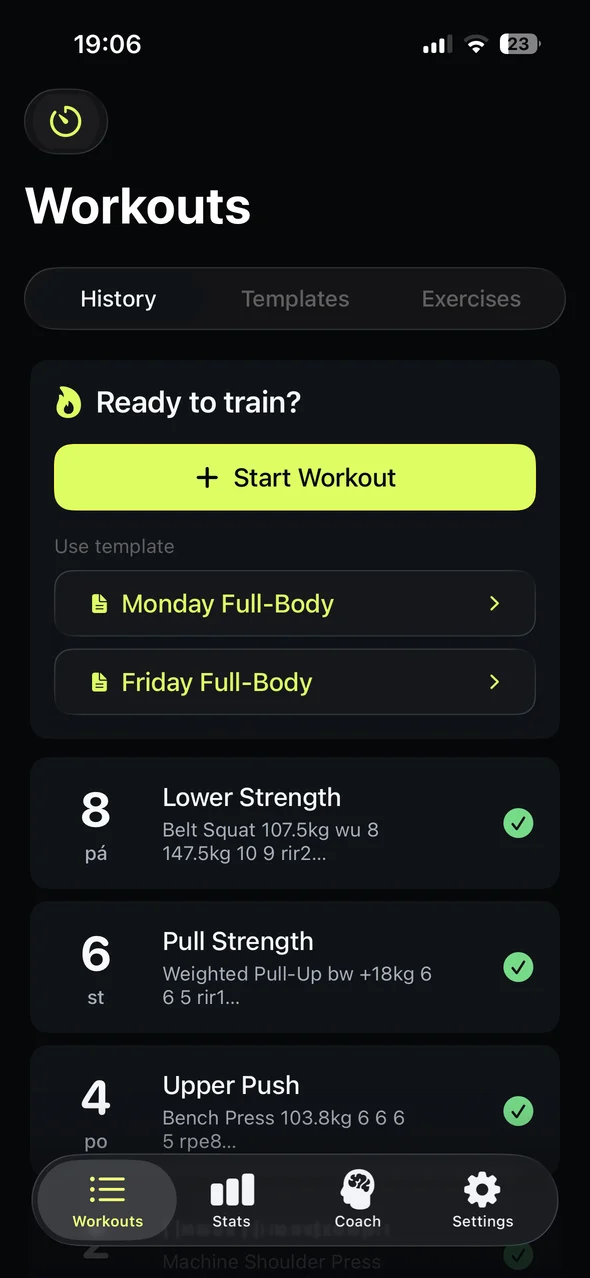
History
Repgrit turns workout notes into editable sets, PRs, volume, recovery signals, and training history. Log fast in the gym, then review the data after.
Example
Belt Squat 80kg wu 8 / 160kg 11 11 rir4Warmup + 2 work sets · 160 kg · RIR 4 · saved for progress
Real iOS screens
Write the session naturally, tap Analyze, then clean up the sets before they become history.
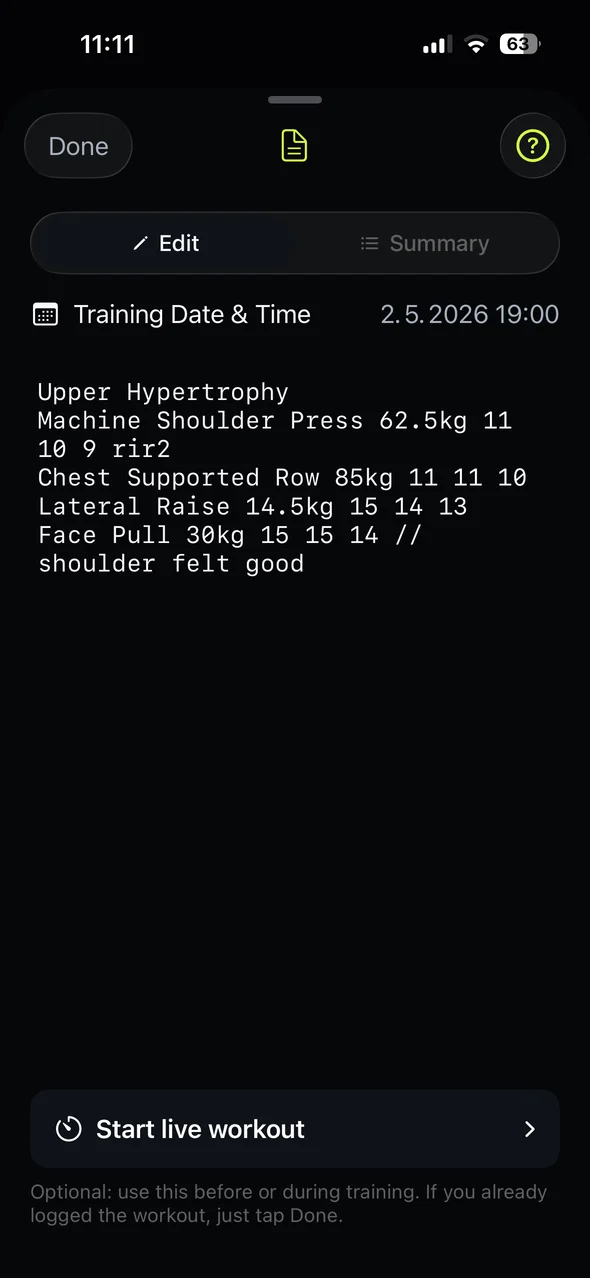
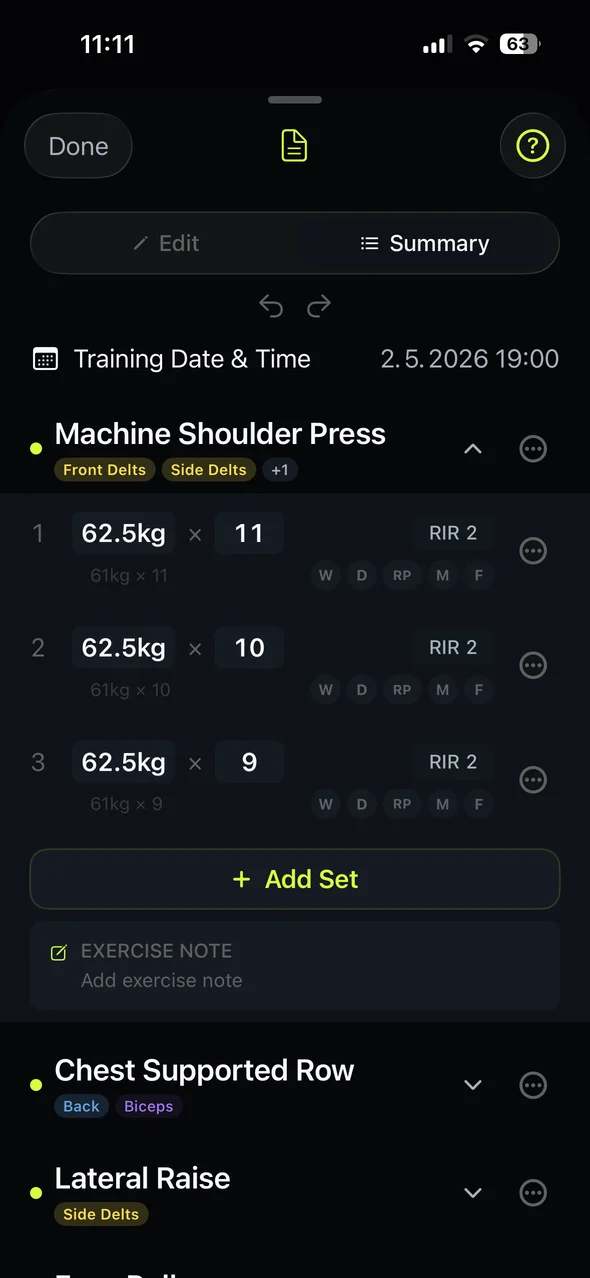
Template-first apps slow you down mid-set. Plain notes are fast, but they bury progress. Repgrit keeps the speed of notes and adds structure when you need it.
Write the workout as text, tap Analyze, then review the sets before the session becomes history.
Type lifts the way you already write them: load, reps, RPE/RIR, warmups, and notes.
Analyze turns the note into exercises and sets you can check before saving.
Adjust anything in Summary and sync the note when your structured data changes.
These examples use workout shorthand Repgrit is built to understand: sets, RPE/RIR, warmups, and rest timing.
verified
Write loads, reps, warmups, and effort without filling out a form first.
verified
Review exercises and sets before the workout is saved to history.
directional
Stats become useful as sessions accumulate.
The screenshots below use the actual dark-mode iOS app. They show the core loop first, then the tools that become useful as your history grows.
Saved workouts stay searchable and turn each session into progress history.
History
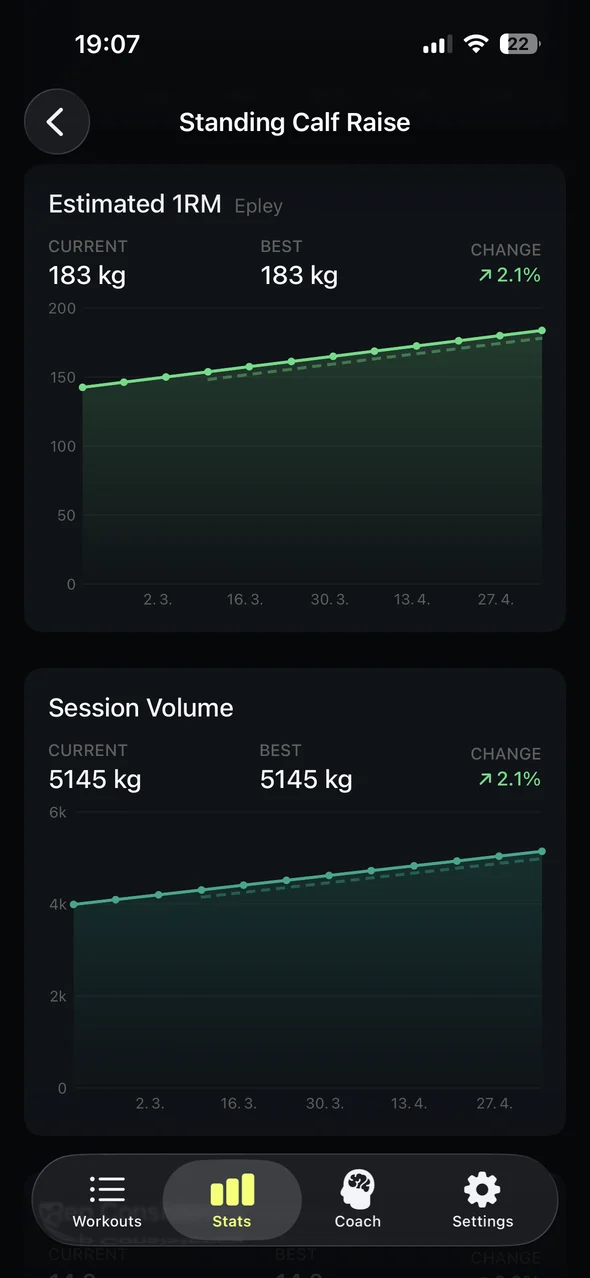
Progress
Volume and recovery views help you see what your logged work is building.
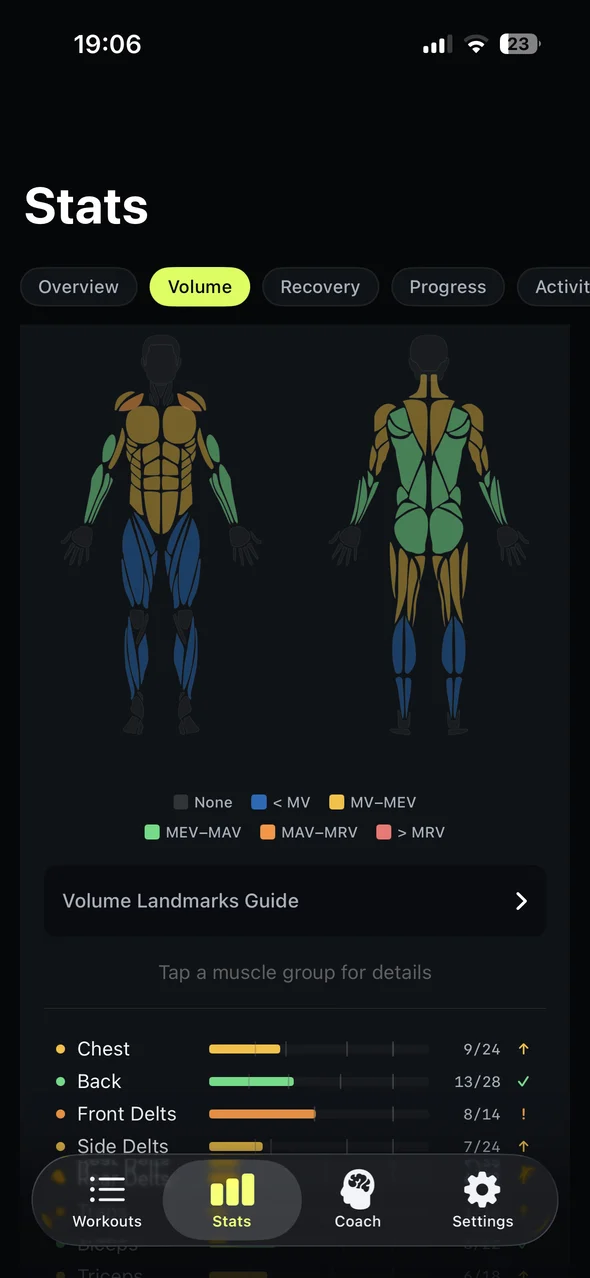
Volume
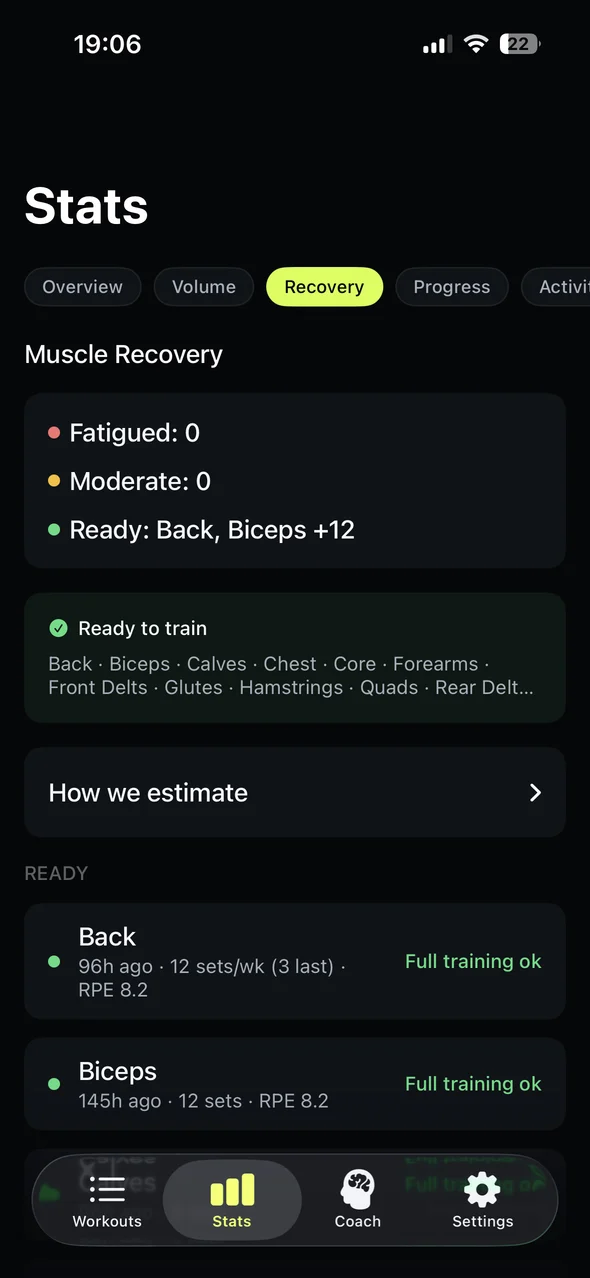
Recovery
The core loop stays fast. The extra detail is there when your training history starts to matter.
Repeat a plan when useful without making templates the default workflow.
Manage variants, muscles, and custom exercise names as your log grows.
See which muscles look ready, moderate, or fatigued from logged work.
Review training signals once you have enough history.
Track elapsed workout time and rest timing when you train live.
Manual logging stays free. Free includes 8 starter workout analyses that expire after 30 local calendar days, plus 2 workout analyses per week with weekly rollover capped at 4.
Analyze turns workout notes into an editable Summary with exercises, sets, load, reps, and effort.
Yes. You can review and edit exercises and sets before the workout becomes training history.
No. Templates exist, but notes are the primary input and you can start from a blank note.
No. Repgrit is a workout tracker first. Analysis helps turn your notes into structured data you can check.
Workout notes stay in the app flow. When Analyze needs server processing, Repgrit sends the request through its authenticated service.
Write the workout as notes, turn it into editable sets, and keep the history for progress.
Available on iPhone.